How To Navigate O'Hare Terminal 1 In 2026 Like A Pro
Knowing how to navigate O'Hare Terminal 1 in 2026 starts with one simple fact: your gate is in either the B or C area, and the entrance you choose makes all the difference. Terminal 1 is a major hub for United Airlines, handling both domestic and international flights. While the core layout has stayed stable for years, 2026 brings ongoing modernization work, evolving security procedures, and updated wayfinding that can affect your route. This guide gives you a clear, actionable path from curb to gate so you can move through the terminal with confidence.
Key Takeaways
- Terminal 1 is split into two gate areas — B and C — connected by an underground tunnel with moving walkways.
- The single most important decision is choosing the correct entrance and security checkpoint for your gate area.
- Walking from security to the farthest gate can take longer than expected, so allow extra time for tight connections.
- 2026-specific updates, including construction and new signage, mean you should check real-time airport information before you travel.
- The CTA Blue Line and the Terminal 1 parking garage are the main landside access points; each has clear trade-offs in time and cost.
The Complete Answer: How to Navigate O'Hare Terminal 1 in 2026
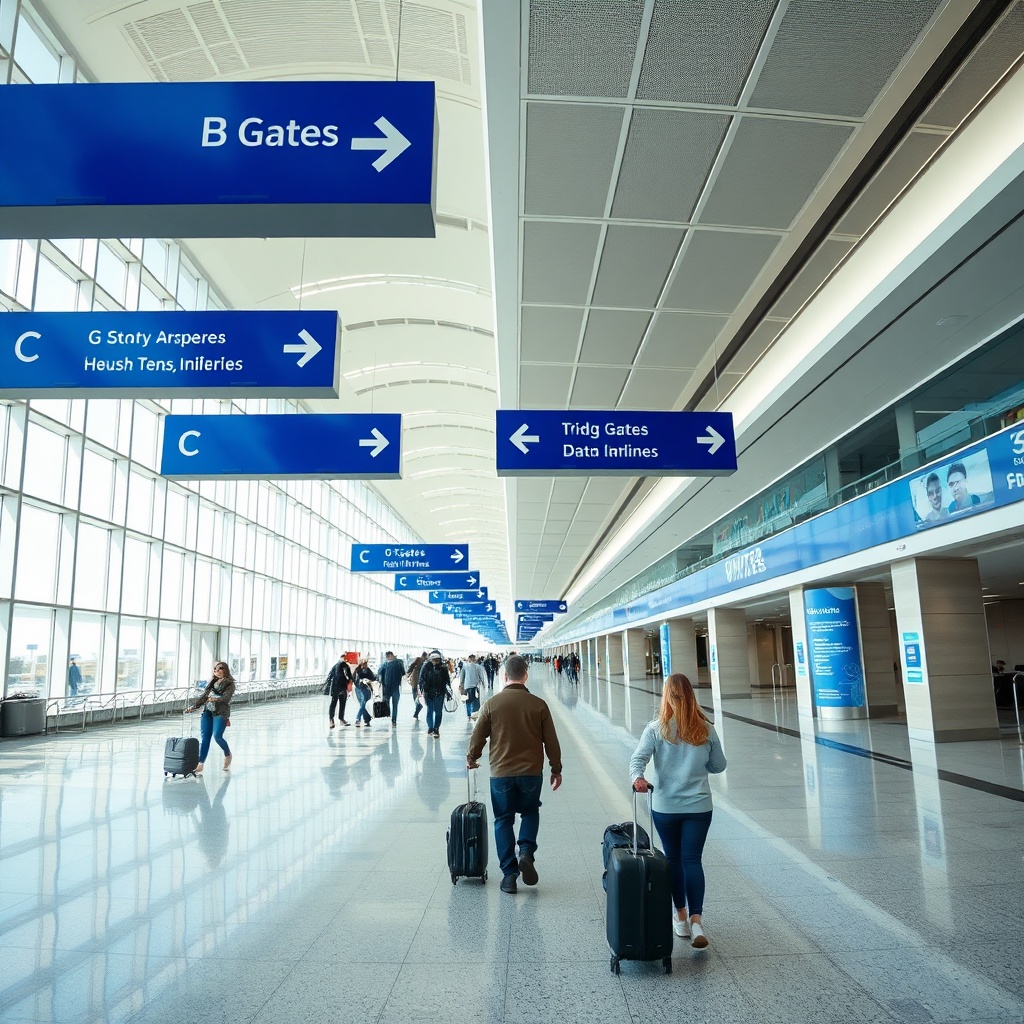
Shows the main concourse and directional signage travelers use to navigate O'Hare Terminal 1.
Quick Answer: To navigate O'Hare Terminal 1 in 2026, check your gate number first, enter at the correct security checkpoint, and use the underground tunnel with moving walkways if your gate is in the C area.
The fastest way through Terminal 1 is to know your gate before you arrive. If your gate is in the B area, you can head straight down the main concourse after security. If your gate is in the C area, you will pass through the underground tunnel. The terminal is essentially one long concourse with a spur, so the tunnel is the only way to move between B and C without exiting and re-entering security.
The Quickest Path: A 10-Minute Overview
Arrive at the correct entrance for your gate area. Clear security with your ID and boarding pass ready. After the checkpoint, follow the overhead signs to either B or C gates. If you are flying from a B gate, stay in the main corridor. If you are flying from a C gate, continue to the tunnel entrance, take the moving walkway, and emerge at the C concourse. Check the digital screens near your gate for any last-minute changes, then settle in.

Highlights the underground tunnel route between B and C gate areas.
Key Facts You Need to Know for 2026
Some things about Terminal 1 do not change. It is the primary terminal for United Airlines at O'Hare. It has two gate concourses, B and C, and the B and C areas are connected only by the underground tunnel. Baggage claim is on the lower level, and the departures level is where you enter.
What does change in 2026 is the state of the terminal itself. O'Hare is in the middle of a long-term modernization program. That means you may encounter temporary walls, relocated signage, or a different route to your gate than you remember from a past trip. The airport has also been expanding digital wayfinding to make it easier to follow the terminal layout. Because these changes are ongoing, the best habit is to check the official O'Hare website or your airline app for any advisories on the day you travel.
What Makes 2026 Different
The biggest shift in 2026 is not a single dramatic overhaul. It is the cumulative effect of modernization. Signage systems are being updated, security procedures are being refined, and some construction zones may alter the shortest walking path. None of this changes the fundamental B-and-C structure, but it does mean you should not rely on memory alone. A quick check of real-time airport information before you leave will save you from surprises.
Getting to Terminal 1: Landside Access and Transportation
How you arrive matters. The two most common options are the CTA Blue Line and a private vehicle. Each has a different cost, time, and convenience profile.
Arriving by CTA Blue Line and Airport Transit System
The CTA Blue Line runs directly to O'Hare, making it the cheapest rail option from downtown Chicago. The station is connected to the airport's multi-modal facility, and from there you can reach Terminal 1 by walking or by taking the free Airport Transit System.
Definition: The Airport Transit System (ATS) is a free automated people mover that connects all O'Hare terminals, the parking garages, and the rental car facility. It runs continuously, so you never have to wait long.
If you take the Blue Line, budget extra time for the walk from the station to the terminal. The ATS is the easier option if you are carrying heavy luggage, because it drops you closer to the terminal entrance.
Drop-Off, Pick-Up, and Parking Options
For curbside drop-off, head to the departures level. For rideshare or taxi pick-up, follow the signs to the designated pick-up zone on the arrivals level. If you are driving yourself, the Terminal 1 parking garage is attached to the terminal, so you can walk directly to the check-in area.
Comparison Table: Transportation Options for Terminal 1
| Transportation Option | Time to Terminal | Cost | Best For |
|---|---|---|---|
| Varies by origin; slower than driving for most | Lowest cost option | Budget travelers, no parking hassle | Rideshare / Taxi |
| Direct, no transfers | Higher than transit | Convenience, door-to-door service | Parking Garage |
| Short walk to terminal | Paid parking; highest for long stays | Drivers, long-term stays |
What to Do Before You Enter the Terminal
Before you leave home, open your airline app and check your gate number. That single number tells you whether you are flying from the B or C area. Have your ID and boarding pass ready before you reach the checkpoint. Knowing your gate area in advance lets you choose the right security checkpoint and skip the stress of figuring it out inside the terminal.
The Terminal 1 Concourse Layout: B and C Gates Explained
The physical structure of Terminal 1 is simple once you understand the two gate areas. B gates are closer to the main security checkpoint, while C gates sit beyond the underground tunnel.
Understanding the B Gates
The B gate area is the first concourse you reach after security. It is the larger of the two areas and hosts most of Terminal 1's daily departures. Because it is closer to the checkpoint, B gates are easier to reach on a tight connection. The concourse has its own set of dining and retail options, so you do not need to leave the B area for basic needs.
Understanding the C Gates and the Underground Tunnel
The C gate area is connected to B by an underground tunnel with moving walkways. This is the only way to move between the two concourses without going back through security. If your gate is in the C area, plan to walk through the tunnel. The moving walkways make the trip faster than a normal walk, but you should still allow a few extra minutes.
How to Read Terminal 1 Signage and Wayfinding
O'Hare uses color-coded wayfinding to help you identify terminals and concourses at a glance. Inside Terminal 1, overhead signs point you toward B or C gates. Gate numbers follow a logical sequence, so once you know your number, you can follow the wall signs without stopping. Digital screens near the checkpoint and throughout the concourse show gate assignments and departure times. In 2026, the airport has been updating these displays and adding clearer directional signage to reduce confusion. If you ever feel lost, look for an information desk or a uniformed staff member.
Quick Answer: How do I know if my flight is from B or C gates? Check your gate number on your airline app or boarding pass. Gates with numbers in the B series are in the main concourse; C series gates are beyond the underground tunnel.
Step-by-Step: From Security Checkpoint to Your Gate
The security checkpoint is the one place where preparation matters most. Having your documents and items ready will get you through faster.
Before Security: What to Have Ready
Have your government-issued ID and boarding pass in hand before you reach the TSA officer. Remove liquids and electronics from your bag and place them in a bin. Take off your shoes and belt if required. If you have TSA PreCheck, you can keep your shoes on and leave your laptop in your bag, but only if you are flying from a lane that supports it.
The Security Screening Process
O'Hare offers TSA PreCheck and Clear lanes at Terminal 1, which can significantly reduce your wait if you are enrolled. The standard screening lanes process travelers in the order they arrive. If you are not enrolled in a fast-track program, arrive early and be patient. The checkpoint experience can vary by time of day, so check real-time wait estimates on the airport website or your airline app if available.
Step-by-Step: From Security to Your Gate
- Exit the security checkpoint and look for the overhead signs directing you to B or C gates.
- If your gate is in the B area, follow the main corridor and watch for your gate number on the wall signs.
- If your gate is in the C area, continue straight to the underground tunnel entrance.
- Take the moving walkway through the tunnel — this is the fastest way to reach the C gates.
- Once you emerge at the C gates, check the digital screens for your flight's gate and departure time.
- Locate your gate, then find a seat nearby or use the restroom and dining options before boarding.
Navigating Terminal 1's Amenities, Food, and Services
After security, you have time to eat, work, or relax before boarding. Knowing where things are will help you make the most of it.
Dining and Coffee: Where to Eat in Terminal 1
Both the B and C gate areas have dining options, ranging from grab-and-go kiosks to sit-down restaurants. The B concourse generally has more variety because it is larger. If you have a specific craving, check the O'Hare Terminal 1 map on the airport website before you fly. Restaurant hours can vary, so do not wait until the last minute to eat if you have a tight connection.
Lounges, Charging Stations, and Wi-Fi
United operates lounges in Terminal 1, and access depends on your ticket class or membership. Charging stations are available throughout the concourses, usually near seating areas. Free Wi-Fi is available across the terminal, so you can stay connected without paying.
Services: Baggage, Info Desks, and Retail
Baggage claim is on the lower level of Terminal
- If you need help finding a gate or a service, look for an information desk in the main concourse. Retail shops are scattered through both gate areas, selling travel essentials, snacks, and souvenirs. For anything you forgot to pack, a quick stop at one of these shops can save the day.
Common Navigation Challenges and How to Solve Them
Even with a good plan, things can go wrong. These are the most common problems travelers face in Terminal 1 and how to handle them.
Tight Connections: What to Do When You Have Less Than 45 Minutes
If your connection is under 45 minutes, check your gate assignment as soon as you land. If your next flight departs from a C gate, use the tunnel immediately. Do not stop for food or shopping. Ask a flight attendant or airport staff member for help if you are unsure of the fastest route. They can tell you whether to walk or take the ATS if you need to change terminals.
Walking Distances and Moving Walkways: How to Save Time
The underground tunnel and the main concourse both have moving walkways to help you cover ground quickly. Still, the distance from security to the farthest C gate is significant. The best way to save time is to know your gate before you land and move directly toward it. If you are connecting, do not wander into shops until you have confirmed your gate.
Accessibility and Mobility Assistance in Terminal 1
O'Hare provides wheelchair assistance and accessible restrooms throughout the terminal. If you need help, request it from your airline when you book or at the check-in counter. Airport staff can also provide a wheelchair escort to your gate. Arrive a little earlier if you need assistance, because the process can take extra time.
FAQ
How early should I arrive at O'Hare Terminal 1?
A general rule is to arrive at least two hours before a domestic flight and three hours before an international flight. Check your airline's specific recommendation, as some carriers require more time during peak travel periods.
Is Terminal 1 connected to Terminal 2 and Terminal 3?
Yes. Landside, the ATS connects all terminals and the parking garages. Airside, there is a walkway between Terminal 1 and Terminal 2, and Terminal 2 connects to Terminal 3. The walkway is the fastest way to move between terminals without leaving security.
Where is the best place to eat in Terminal 1?
The B concourse has the most dining variety, but the C concourse also has options. Check the O'Hare Terminal 1 map for current restaurants and their hours before you decide.
How long does it take to walk from B gates to C gates?
The walk goes through the underground tunnel with moving walkways. Allow a few minutes for the trip; the exact time depends on your pace and where in the concourse your gate is located.
Conclusion
Navigating O'Hare Terminal 1 in 2026 comes down to three steps: know your gate area before you arrive, choose the right entrance and security checkpoint, and use the underground tunnel if your flight departs from a C gate. Allow extra time for walking and check real-time airport updates, because ongoing modernization can change your route. Start with this guide, confirm the details on the day you travel, and you will move through Terminal 1 with ease.